
Best overall for Microsoft-centered teams: Microsoft Power Automate. Best for custom business apps: Zoho Creator. Best for desktop automation: UiPath. This 2026 guide compares the best business process automation software for businesses in Oman, including integrated ERP and developer-led workflows; Fizmoh is the custom software service option when packaged tools do not fit your requirements.
- Microsoft Power Automate is the best business process automation software shortlist leader for Microsoft-centered teams.
- Zoho Creator suits custom business apps; Odoo suits connected ERP processes.
- UiPath suits desktop automation; Camunda suits developer-led process orchestration.
- Fizmoh is the custom software service option, not an off-the-shelf automation platform.
Why this matters
Business process automation moves work between people and systems according to defined rules. That includes routing purchase approvals, assigning sales follow-ups, updating employee records, and handling exceptions without repeatedly copying information.
The wrong platform creates another place to maintain data. Choose around the process that needs fixing, not the longest feature list. A purchase request handled through connected business records needs a different solution from a desktop task that repeats the same clicks.
For an Oman business evaluating software in 2026, language requirements, existing applications, hosting arrangements, and implementation ownership belong in the brief. Check each requirement directly rather than assuming an international platform meets it by default.
What makes the best business process automation software?
Use these criteria before comparing vendors:
- Process fit: Does the platform handle your actual decisions, handoffs, and exceptions?
- System connectivity: Can it read and update the applications that hold your business records?
- Control: Can you define access, approval authority, and responsibility for failed runs?
- Maintainability: Can the people supporting the workflow understand and change it?
- Operational visibility: Can your team see what happened and identify unfinished work?
- Implementation fit: Does the solution match your internal skills and the support you intend to retain?
Treat unmet requirements as exclusions, not minor deductions. A polished demonstration does not compensate for a missing connection to the system your staff use daily.
Automation software at a glance
The order below starts with a practical default for Microsoft-centered operations, then separates the alternatives by use case. The custom development route is a service comparison, not another software product.
| Option | Best for | Standout capability | Key limitation |
|---|---|---|---|
| Microsoft Power Automate | Microsoft-centered operations | Cloud workflows and desktop automation | Connector and licensing requirements need close review |
| Zoho Creator | Custom business applications | Low-code forms, records, and workflow logic | Application design still requires technical ownership |
| Odoo | Connected departmental processes | Business applications sharing an ERP environment | Adoption requires agreement on processes and data |
| UiPath | Repetitive desktop tasks | Software robots that interact with application interfaces | Interface changes can disrupt automation |
| Camunda | Developer-led process orchestration | BPMN-based process modeling and execution | Requires engineering involvement |
| Fizmoh custom software | Business-specific system requirements | Custom ERP, CRM, POS, and HRMS development services | A scoped development project, not a ready-made platform |
1. Microsoft Power Automate: best for Microsoft-centered teams
Microsoft Power Automate connects applications through cloud workflows and supports desktop automation. It belongs at the top of your shortlist when your staff already work in Microsoft applications and the workflow crosses familiar business tools.
Start with a defined task such as routing an approval or moving information between applications. Then check the exact connectors, permissions, and licensing requirements before designing the full workflow.
Microsoft Power Automate pros:
- Supports both cloud workflows and desktop automation.
- Offers connections to Microsoft applications and other services.
- Provides a low-code route for building approval and notification workflows.
Microsoft Power Automate cons:
- Connector access and licensing can complicate the implementation decision.
- Flows still need ownership, error handling, and maintenance.
- Desktop-dependent tasks inherit the fragility of the interfaces they use.
Best for: Businesses with Microsoft-centered operations and clearly defined administrative workflows.
For your 2026 evaluation, demonstrate the complete process using your actual application mix. A flow that sends a notification is not proof that the underlying record updates correctly or that rejected requests reach the right person.
Verdict: Buy when Microsoft integration is the deciding requirement; hold until connector access is confirmed.
2. Zoho Creator: best for custom business applications
Zoho Creator is a low-code platform for building business applications with forms, records, and workflow logic. Choose this route when the process needs its own application rather than a chain of actions between existing tools.
An internal request system is a useful evaluation example. Staff submit structured information, responsible users review it, and the application tracks its status. The design challenge is deciding what each record means and who can change it.
Zoho Creator pros:
- Combines data collection and workflow logic within an application.
- Supports business-specific forms and record structures.
- Allows additional logic through Zoho's Deluge scripting language.
Zoho Creator cons:
- More demanding requirements introduce scripting and integration work.
- Poor data design remains a problem even in a low-code platform.
- Applications need a named owner after the initial build.
Best for: Teams replacing disconnected spreadsheets and forms with a purpose-built internal application.
Ask the implementation team to show how a changed approval rule affects existing records. That reveals more about maintainability than a demonstration of a new form.
Verdict: Buy for a defined internal application; hold if nobody will own its structure and rules.
3. Odoo: best for connected departmental processes
Odoo brings business applications into an ERP environment. It fits a different problem from stand-alone workflow automation: sales, inventory, accounting, or other departments need to work from connected records.
The key decision is whether you want to automate the existing handoffs or change the underlying operating system. Odoo belongs on the shortlist when disconnected departmental software is itself part of the problem.
Odoo pros:
- Connects business functions within a shared application environment.
- Supports workflows tied to operational records rather than separate task lists.
- Offers a modular approach to selecting business applications.
Odoo cons:
- Implementation requires consistent data and agreed departmental processes.
- Customizations add maintenance responsibility.
- Replacing working systems solely to automate a minor task expands the project unnecessarily.
Best for: Businesses seeking ERP-led process integration across departments.
For a 2026 ERP evaluation, follow one transaction from its origin to its final record. Confirm which steps are standard, which need configuration, and which require development. Keep those categories separate in the proposal.
Verdict: Buy when connected business records are the goal; skip for an isolated automation task.
4. UiPath: best for repetitive desktop tasks
UiPath provides robotic process automation, including software robots that interact with application interfaces. It is a relevant option when staff repeat structured tasks in desktop applications or systems without a suitable integration route.
This is not the same as connecting systems through an API. A robot can interact with an interface, but that interface becomes part of the workflow's operating dependency.
UiPath pros:
- Supports automation that interacts with desktop application interfaces.
- Offers attended and unattended automation approaches.
- Provides tools for designing and managing robotic workflows.
UiPath cons:
- Interface changes can break previously working steps.
- Unstructured exceptions require careful handling.
- Credentials, machine access, and robot operations need ongoing administration.
Best for: Businesses with repetitive, rules-based desktop work that cannot readily move to direct system integration.
Before selecting UiPath, ask whether the target application has a suitable API. Direct integration avoids depending on screen layout, although it still requires sound implementation and monitoring.
Verdict: Buy for stable desktop tasks; skip screen automation when a suitable direct integration solves the requirement.
5. Camunda: best for developer-led process orchestration
Camunda supports process modeling and execution using BPMN, a recognized notation for business processes. It suits workflows that coordinate services and human tasks while making the process itself explicit.
This is an engineering-led choice. Your team needs to design the process, implement its connections, and operate the surrounding systems; it is not a substitute for a ready-made CRM or ERP application.
Camunda pros:
- Uses BPMN to represent process steps and decisions.
- Supports coordination of service work and human tasks.
- Separates explicit process logic from individual application functions.
Camunda cons:
- Requires software engineering and operational ownership.
- Business users still depend on technical implementation for integrations.
- Adds unnecessary complexity to straightforward notifications or simple forms.
Best for: Organizations with engineering capacity and processes spanning several services or human decision points.
In a 2026 shortlist, ask the technical team to explain retries, stalled tasks, and process changes in plain language. If those answers depend on an unnamed future support team, the operating model is unfinished.
Verdict: Buy with committed engineering ownership; skip when you need a business-user-led setup.
6. Fizmoh custom software: best for business-specific requirements
Fizmoh offers custom software development, including ERP, CRM, POS, and HRMS, alongside web and mobile app development. It is a Muscat-based digital agency serving businesses across Oman and the GCC, not a packaged business process automation software vendor.
Fizmoh is best for businesses in Oman seeking custom software services rather than an off-the-shelf automation platform. Evaluate this route when your documented requirements call for a purpose-built system; do not assume custom development is necessary before comparing packaged options.
Fizmoh custom software pros:
- Offers a service route for business-specific software requirements.
- Covers custom ERP, CRM, POS, and HRMS development.
- Also offers web and mobile app development for projects requiring those channels.
Fizmoh custom software cons:
- Requires discovery, specifications, and acceptance criteria before delivery can be assessed.
- Is not a ready-made platform you can evaluate through a standard feature checklist.
- Requires explicit agreement on maintenance, integrations, and handover responsibilities.
Best for: Businesses whose requirements justify a custom software project.
Request a proposal that separates confirmed functionality from assumptions. Include data access, exception handling, and support responsibilities in the scope rather than leaving them to later discussions.
Verdict: Buy a defined development scope; hold if the workflow requirements remain unclear.
How the options are ranked
This shortlist ranks options by process fit, not by a claimed product test or a universal score. Microsoft-centered automation, low-code applications, integrated ERP, desktop robots, process orchestration, and custom development solve different problems.
The ranking gives you a starting point. Your selection should change when a mandatory requirement excludes the default: a desktop-only task points toward robotic automation, while disconnected departmental records point toward an ERP evaluation.
Do not compare unlike proposals as though they deliver the same outcome. Configuration, integration, migration, custom development, training, and ongoing operation belong on separate lines in your evaluation.
Turn the shortlist into a working decision
Use the same process brief for every vendor or implementation partner. This prevents a polished presentation from changing the problem you intended to solve.
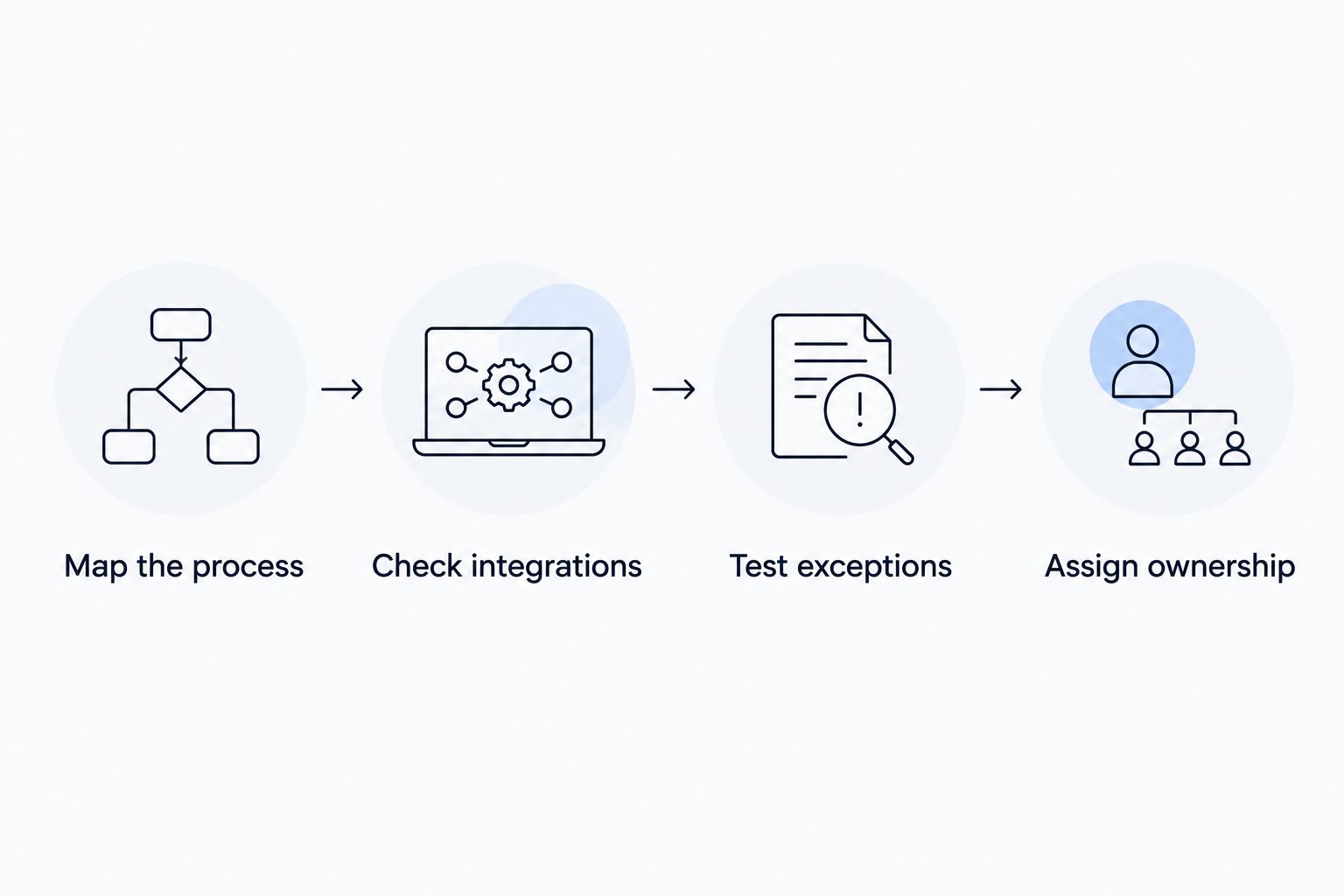
- Map the process: Document 3 workflow stages: trigger, decision, and outcome. Name the records each stage reads or changes.
- Check integrations: Identify the system that owns each record and confirm the permitted connection method.
- Test exceptions: Prepare 5 test cases: normal completion, rejection, missing information, duplicate submission, and connection failure.
- Assign ownership: Name 1 process owner responsible for business rules, alongside a technical owner responsible for failures and changes.
These are recommended evaluation steps, not vendor performance benchmarks. Use them to make competing demonstrations comparable and to turn the chosen workflow into acceptance criteria.
Ask each shortlisted supplier to demonstrate the same rejected request and failed connection. Successful completion shows the intended path; failures show whether your staff can operate the workflow without guessing what happened.
For Oman-specific requirements, document the working languages, record formats, access arrangements, and hosting constraints your business actually needs. Have the supplier confirm them in writing. A local implementation relationship does not replace a technical requirement check.
Which automation software should you choose?
Choose Microsoft Power Automate as the default shortlist leader when your operations center on Microsoft applications. Choose Zoho Creator for a custom internal app, Odoo for connected ERP processes, UiPath for desktop repetition, and Camunda for developer-led orchestration.
Choose custom development only after identifying the requirements that packaged tools cannot reasonably meet. For your 2026 decision, the strongest proposal is the one that demonstrates the real workflow, identifies its limitations, and assigns responsibility after launch.
FAQ
What's the best business process automation software for a business in Oman?
Microsoft Power Automate is the shortlist leader for Microsoft-centered businesses. Zoho Creator, Odoo, UiPath, and Camunda fit different requirements, so choose around your workflow and existing systems rather than location alone.
Is business process automation the same as ERP?
No. Business process automation moves work through rules and actions, while ERP connects business functions and records. An ERP can support automated processes, but not every automation project requires an ERP.
Is Power Automate better than UiPath?
Power Automate is the starting point for Microsoft-centered workflows; UiPath belongs on the shortlist for repetitive desktop work. Compare the exact connectors, interface dependencies, and operating responsibilities for your task.
Should a small business choose low-code or custom development?
Start with low-code when its application structure and integrations meet your documented requirements. Consider custom development when the requirements justify building and maintaining a purpose-built system.
Can business process automation work with existing software?
Yes, through suitable connectors, APIs, or interface-based automation. Confirm the exact connection method and permissions for each application before committing to implementation.
Does an Oman business need Arabic-language automation?
Arabic-language support is a requirement when your users or business processes need it. Specify interface language, data entry, document output, and search behavior separately, then test the required workflows.
Does Fizmoh sell an off-the-shelf automation platform?
Fizmoh is a digital agency offering custom software development, including ERP, CRM, POS, and HRMS. Assess it as a service provider for a scoped project, not as a packaged automation platform.
One last thing
Automating a bad approval rule makes the bad rule repeat without manual intervention. Before building anything, ask the process owner which decisions are necessary and which exist only because the current system makes information hard to find.
Remove unnecessary handoffs first. Then automate the remaining process with clear ownership, visible failures, and acceptance criteria your staff understand. That gives you a sharper brief and a firmer basis for accepting or rejecting the finished work.